Microsoft Copilot training for teams
Your team has Copilot, and most people use it for summaries. In a hands-on workshop with James McAulay, each person hands a real job from their week to Copilot Cowork and agents they build themselves. Your IT team gets James’s checklist of settings to switch on before the day.
- In person or onlineat your office, or on a call
- 10 to 200 peoplein one workshop
- Half a day to two daysagreed on a scoping call
No coding needed in  Microsoft Copilot
James has trained 700+ people from 250+ companies:








Teams on Copilot tell James the same four things
From discovery calls with teams on Microsoft 365 this autumn. The workshop is built to fix each one.
People use it for summaries
Everyone has Copilot, and most people use it to summarise documents and brainstorm. Nobody hands it a real job.
It writes four pages when you asked for five bullets
Copilot doesn’t know your role, your audience or your house style, so it guesses. That’s fixed with context, not better prompts.
Cowork is there, but greyed out
Cowork is off until IT sets it up. James sends your admin the checklist before the day, so nobody hits a locked tab.
SharePoint is connected, in theory
So people copy and paste between files and Copilot. On the day, each person points Copilot at the files it needs.
In one day, each person hands a real job from their week to Copilot
This is the one-day format. James adapts it to which Copilot each person has.
Unlock Cowork
Your admin works through James’s checklist, and each person tells James which tasks eat their week.
Give Copilot context
Each person writes down their role, goals and how they like work done, in a file Copilot reads before every task.
Build skills
Each person turns a weekly task into a skill that Cowork, or an Agent Builder agent, runs the same way every time.
Demos
Everyone shows the room Copilot doing their task, and shares the skills worth reusing.
Roadmap
James writes up what each person should build next, and which jobs need Copilot Studio.
Copilot Cowork is built on the same ideas James teaches every week
Cowork is the part of Copilot that does the work: it plans a task, works across your Microsoft 365 apps and asks before it changes anything. At launch, Microsoft built it on Anthropic’s Claude models, and Microsoft says more than half of the Fortune 500 now use it.
Its custom skills are SKILL.md files saved in OneDrive, the same format James teaches in Claude. So what your team builds on the day is the real thing, and it carries across if you add Claude later.
Copilot Chat users can join, and Cowork needs the paid licence
From Microsoft’s pages, last checked 25 October 2026.
| Copilot Chat | Microsoft 365 Copilot | |
|---|---|---|
| Copilot Cowork, which plans and carries out work across your apps | Not available | Available, billed by use in Copilot Credits |
| What Copilot can read | The web, files you upload, and the email or Teams chat you have open | Your email, files, meetings, calendar and chats |
| Agents built from instructions and public websites | Included | Included |
| Agents that read SharePoint or your other tools | Billed by use, in Copilot Credits | Included |
| Microsoft’s Researcher and Analyst agents | Not included | Included |
| Price per person, per month | Included with eligible Microsoft 365 plans | An add-on of £16.10 on top of a Business plan (£13.80 for the first year if you order by 31 December 2026). Paid yearly, before VAT. Cowork is billed by use on top |
You don’t need to license everyone before the workshop
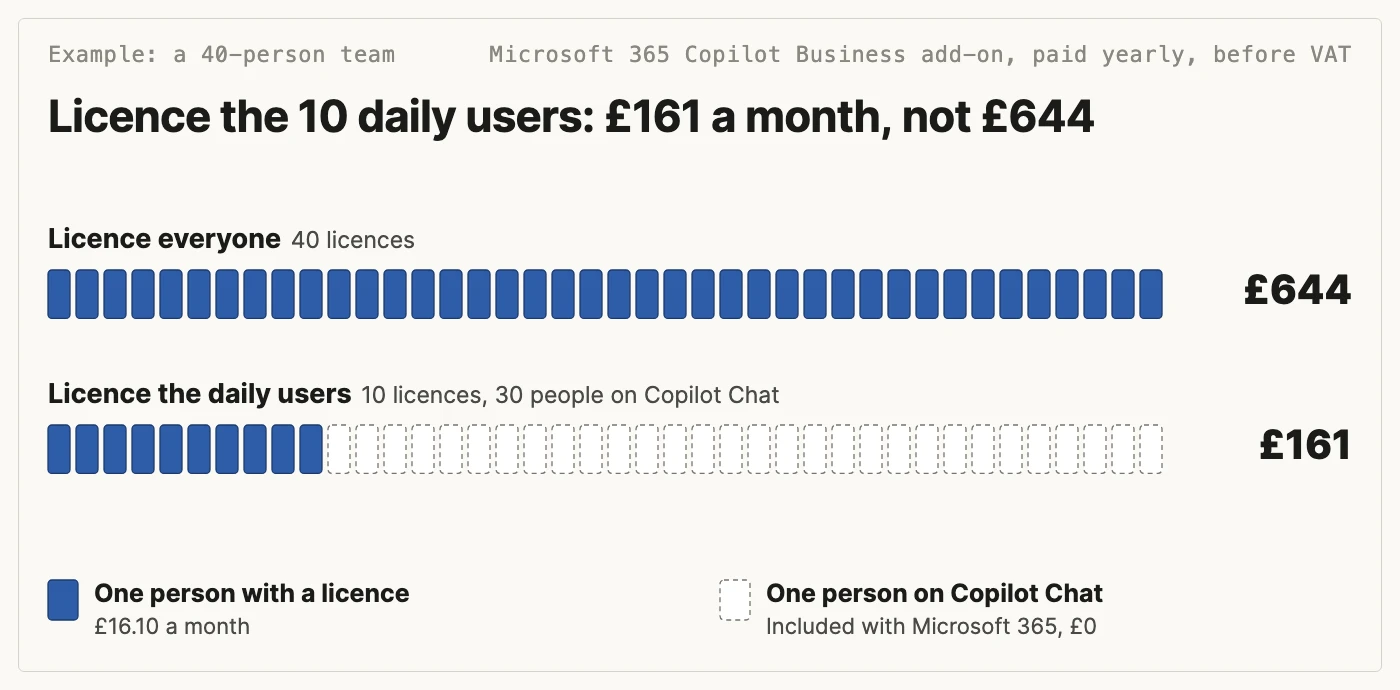
Give the Microsoft 365 Copilot licence to the people who need Copilot reading their email and files every day, or who will use Cowork, and start everyone else on Copilot Chat. You can add licences later, once people know what they’d use them for.
Take a 40-person team on a Business plan. Licensing everyone costs £644 a month. Licensing the 10 people who need it costs £161, and the other 30 stay on Copilot Chat.
Cowork costs extra on top of the licence: Microsoft bills it by use, in Copilot Credits, so what you pay depends on how much people hand to it. Your admin sets a monthly spending limit for the people using it.
To price the licences for your team, use the Copilot pricing calculator.
Start with a few people, or train the whole team at once
Every format is hands-on. James recommends your office, because people in one room get further, faster.
Pilot: 2 or 3 people on the Agent Accelerator
A few people take the live four-week course, which has a Copilot Cowork route. They find what IT needs to switch on, then the rest of the team joins a workshop.
- Live online, four weeks
- Then a team workshop
Half-day Copilot workshop
For a department getting started. Each person gives Copilot their context and hands it one job from their week.
- Up to 50 people
- In person or online
One-day Copilot workshop
Cowork unlocked beforehand, a morning giving Copilot context, an afternoon building skills, then demos and a written roadmap.
- 10 to 200 people
- A second facilitator above 30
Two-day Copilot bootcamp
The two days can be split, for example a week apart, so people try their skills on real work in between.
- Can mix online and in person
- For a whole company
Microsoft’s Copilot Academy is free, and training still decides whether Copilot pays off
Microsoft 365 users can take Copilot Academy, a set of Copilot learning paths in Viva Learning, unless their admin limits it to people with a licence.
The UK government ran a Copilot trial with 20,000 civil servants in late 2024, and its report concluded that training was essential to get the benefits. Copilot agents arrived partway through and weren’t studied.
In the Department for Business and Trade’s pilot, staff were generally positive about formal training but often found it “introductory or high-level” and less relevant to their roles. Trying Copilot out for themselves helped them more.
A workshop with James is the hands-on version: everyone builds for tasks from their own job, with him beside them.

Book a scoping call“James was an incredible facilitator and guide. He was able to take us through a complex workflow quickly but patiently while keeping the whole group engaged. I also appreciated that he gave us the tools to continue to develop at our own speed afterwards.”
Megan Bingham-Walker, Founder, Anansi
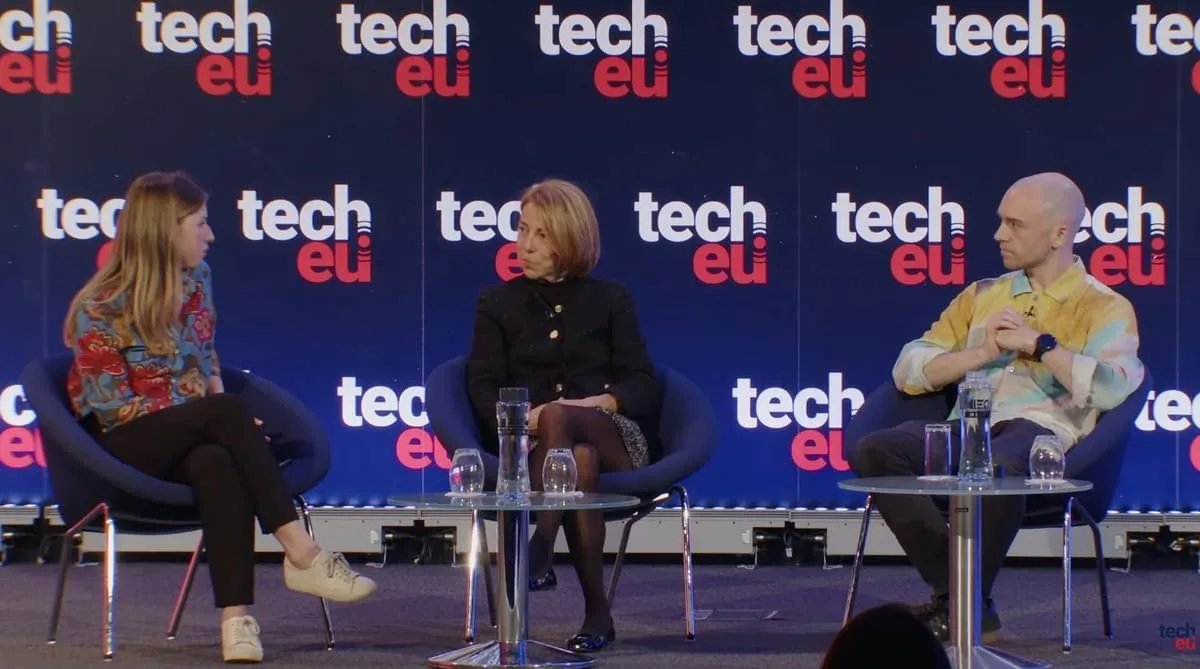
James McAulay teaches the Copilot workshop
In the room or on the call. Most teams he trains learn on Claude, and Copilot Cowork works the same way, so he builds the sessions around the Copilot your team already has.

 Studied Computer Science at the University of Cambridge, one of the top Computer Science courses in the world
Copilot training questions, answered
How much does Copilot training for a team cost?
It’s quoted per workshop, based on how many people and which format. Book a 20-minute scoping call and James sends a quote.
Can people on the free Copilot Chat join?
Yes. They build agents in Agent Builder, inside Copilot Chat. People with a Microsoft 365 Copilot licence can also hand work to Copilot Cowork, which Microsoft bills by use on top of the licence. James sets the exercises to match what each person has.
What does our IT team need to do before the day?
Cowork is off by default. Before the workshop, James sends your Microsoft 365 admin a short checklist: a security group for the people using Cowork, a Copilot Credits spending policy for that group, and, if you want them, Claude models turned on (they are off by default in the UK and EU).
Is this GitHub Copilot training?
No. This is Microsoft 365 Copilot, the assistant in Outlook, Teams, Word, Excel and the Copilot app. GitHub Copilot is a coding tool for developers.
Does anyone need to code?
No. Most people in the room are not engineers. Skills are plain-English instructions saved as a file.
Is there a certificate?
Yes. Everyone who completes a workshop gets a certificate of completion.
Book a 20-minute scoping call
A quote follows. Rather not book a call? Send an enquiry instead.
Or send an enquiry
Tell James a little about your team and he’ll be in touch.
Plan your team’s Copilot workshop with James
Book a 20-minute scoping call, or send an enquiry and James will get back to you.