Get all the skills I use to maximise Claude, free
Make  Claude and
  Claude Code noticeably better at your real work. I’ve built and refined these skills over months, and I use them every day.
Instant access. I will never spam you.
962 skill downloads so far
Also works in ChatGPT,
 Copilot,
 Codex,
 Grok Botand any agent
Last updated 2 November 2026
The 9 free Claude skills in the kit
Grouped by where they fit in the journey. All nine come in the free kit.
 /set-up-my-second-brainEvery answer fitted to your role and your goals
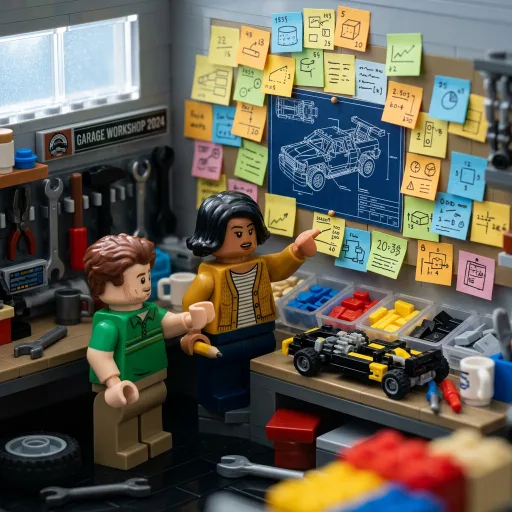 /prdGet to a better build, faster
 /multi-agent-refineStress-test your ideas from several viewpoints at once
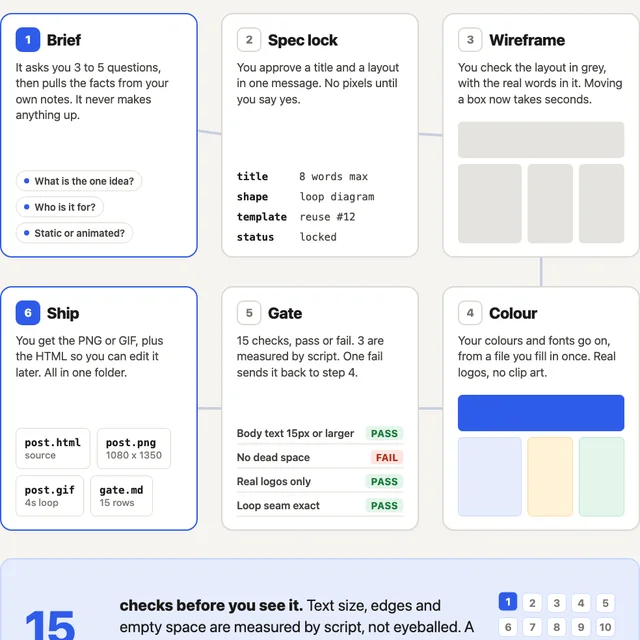 /linkedin-infographicOne idea in, a finished LinkedIn graphic or animation out
 /weekly-retroTurn your week's data into patterns and a plan
 /weekly-workspace-reviewYour setup gets a little sharper every Friday
 /opus5-auditCut the old instructions slowing Claude down
 /crystallise-memoryOwn everything Claude has learned about you
 /stop-wasting-tokensHit your limits less, without changing how you work
Start with the Claude second brain skill
A long guided interview that builds real personal context for your agent: your role, your company, what you're trying to do this year, how you want to be challenged. It writes the answers into files you keep.
Install this one first. It takes about two hours, and it’s the reason every other skill here works better.
Which Claude skill do you need?
- /set-up-my-second-brain
BeforeClaude gives advice you could have got from a search engine.
AfterIt knows your role and your goals, so every answer fits you.
- /prd
BeforeThe plan lives in your head, so the build goes sideways.
AfterA written brief with decisions and milestones the agent can follow.
- /multi-agent-refine
BeforeOne AI reviewer that mostly agrees with you.
AfterSeveral critics stress-test it from different angles, so you fix the weak spots first.
- /linkedin-infographic
BeforeA good idea that never becomes a graphic.
AfterA finished PNG or looping GIF, checked against 15 rules before you see it.
- /weekly-retro
BeforeMonday starts with a vague sense of what happened last week.
AfterIt reflects on your week's real data and spots the patterns you'd miss.
- /weekly-workspace-review
BeforeYour setup rots quietly while you're busy using it.
AfterA dated report each Friday saying what to fix and what to archive.
- /opus5-audit
BeforeYou suspect the model got worse.
AfterYour setup graded A–F against Anthropic's own guidance, with the dead weight cut.
- /crystallise-memory
BeforeClaude remembers things about you that you can't read or take with you.
AfterPlain files you can read and edit, ready for any tool.
- /stop-wasting-tokens
BeforeYou keep hitting your limits.
AfterTen of the fifteen token-saving fixes, applied for you.
What is a Claude skill?
A skill is a folder with a SKILL.md file inside it. The file teaches Claude how to do one job properly: what to ask you first, and what good looks like when it's done. Claude only reads the full instructions when that job comes up, so a shelf of twenty skills costs you a line of description each until one is needed. You don't need to write any code to make one.
How to install Claude skills
The kit is one zip. Inside it: a skills folder with every skill as a ready-made folder, an upload folder with one small zip per skill, the stop-wasting-tokens prompt, and a README with these same steps. Each skill is a folder with a SKILL.md inside it. That is the bit most people get wrong: a loose .md sitting on its own won’t be picked up, and nothing tells you why.
Claude (claude.ai and the desktop app)
Go to Customize, then Skills, click +, then Create skill and Upload a skill. Upload one zip from the upload folder, and repeat for each skill you want. Skills you upload here also appear in Claude Code when you’re signed in to the same account.
Claude Code
Copy every folder inside skills into ~/.claude/skills/ in one go, or into a project’s .claude/skills/ if it only matters for that project. Or open Claude Code in the unzipped folder and ask it to copy every folder in ./skills into ~/.claude/skills/.
Codex
Copy every folder inside skills into ~/.agents/skills/, or a repo’s .agents/skills/, then start a new session.
Copilot
GitHub Copilot reads the same folders as Codex: copy them into ~/.copilot/skills/ or ~/.agents/skills/. Microsoft 365 Copilot can use skills in Agent Builder and in Copilot in PowerPoint, if your organisation allows it.
ChatGPT for Work (Business, Enterprise, Healthcare, Edu)
Go to Skills, then Create, then Upload from your computer, and upload one zip from the upload folder. Your workspace admin has to allow skill uploads. ChatGPT Plus and Pro don’t support skills yet.
Grok Bot
Paste the contents of a skill’s SKILL.md into a conversation and ask it to save that as a skill; it then shows up when you type /.
Skip the ones marked Claude only outside Claude: they check or change a Claude setup, so there is nothing for them to do anywhere else. The stop-wasting-tokens prompt isn’t a skill at all. Paste it into a Claude conversation.
If you want it to run on a schedule
In Claude Code, run it yourself or use a Desktop scheduled task. Routines look like the obvious answer here and they aren’t: they run as fresh cloud sessions, so they can’t see the skills sitting in ~/.claude/skills/ on your machine, and the skill comes back as not found.
To check it landed, ask Claude what skills it has. Yours should be in the list. If it’s there but never fires, the description line at the top of the file is the first thing to look at, because that’s what Claude matches your request against.
How to update a Claude skill
In Claude Code, edit the SKILL.md in place, or copy the new folder over the old one. Claude Code watches its skills folders and picks up the change in the session you already have open, without a restart.
In Claude, replace the old version. Open it under Customize, then Skills, turn it off, choose Delete from the … menu, then upload the new zip the same way as the first time.
Want to build agents with me live?
These skills are where I'd start. The Accelerator is where you build your own agents, live with me and a cohort, over four weeks.
Agent Foundations
Build your first agent and leave with it actually running. A Strategy Agent trained on your background, your goals, and how you think.
Security, MCPs, APIs & CLIs
Learn what can go wrong with agents before something does - prompt injection, permissions, blast radius - then connect your agent to live data and the tools you already use, safely.
Skills
Package the things you keep doing into reusable workflows. Trigger them with a word. Share them with your team.
Proactive Agents
Build agents that run while you're not watching. Scheduled briefings, overnight research, alerts that fire when something changes.
Subagents & Adversarial Review
Give your agent a team of helpers that work in parallel, plus critics that look for mistakes before you see the result.
Coding Agents
Give an AI a brief and watch it write working software. No coding experience needed. Ship something real.
Team Rollout
Get the rest of your team using this stuff. Share agents, share skills, share context. Stop being the only one who benefits.
Demo Day
Show the cohort what you built. See what everyone else made. It's usually the best session of the four weeks.
Join the Agent Accelerator. Four weeks, live with James and a cohort of founders and operators who are actually doing this.
Learn more about the Accelerator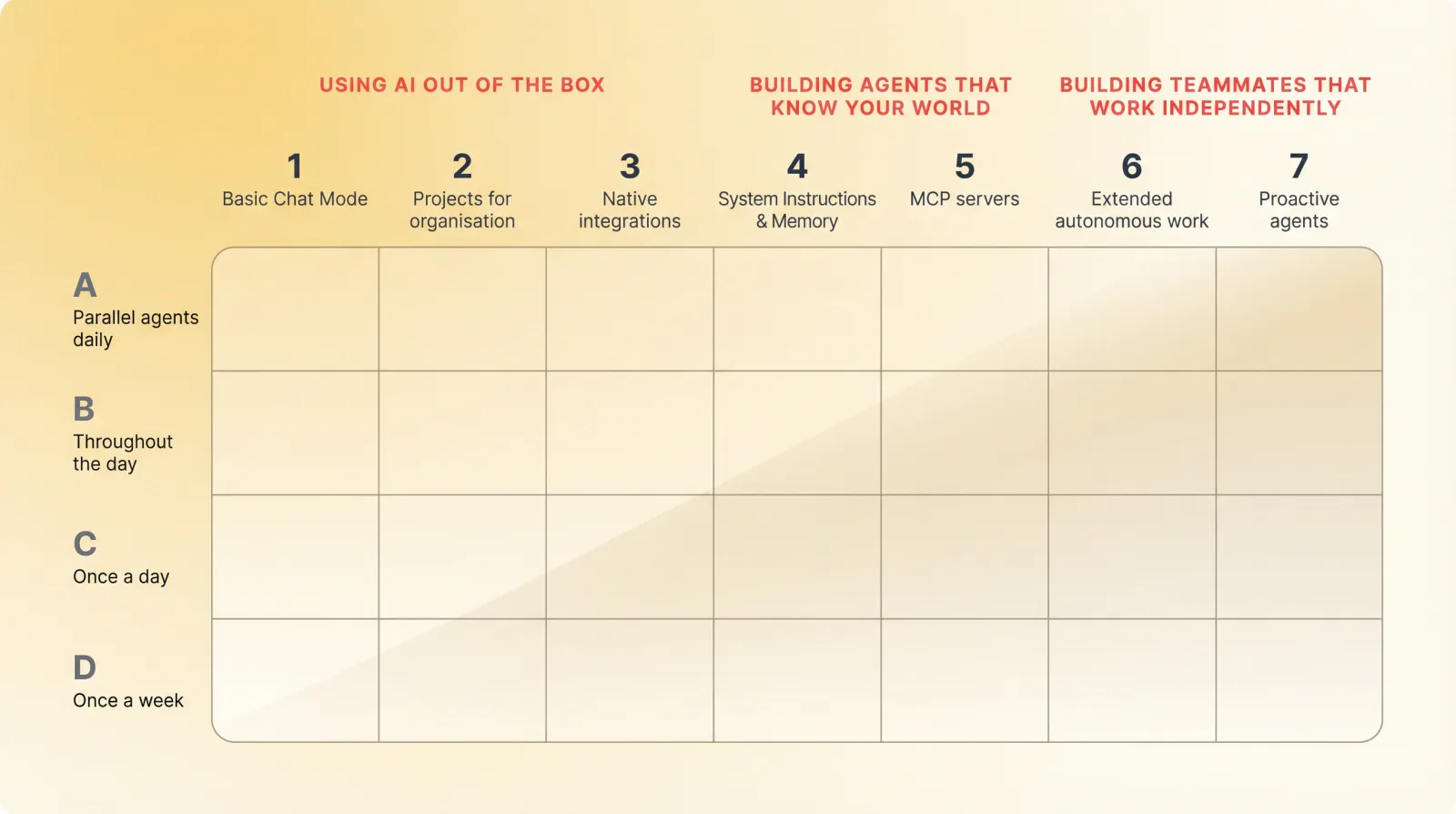
Questions people ask about Claude skills
- What skills should I add to Claude?
- Start with set-up-my-second-brain, because every other skill gets better once Claude knows your role and what you're trying to do. After that, add one skill per job you repeat every week. I've installed far more than this over the past year. These are the ones still there.
- How do I use Claude skills?
- Install it, then just describe what you want. Claude matches your request against each skill's description and picks the one that fits, so you rarely need to name it. In Claude Code you can also call one directly with a slash command.
- Are there official Claude skills?
- Yes. Anthropic ships its own set for things like Excel and PowerPoint, and Claude has some built in that you can switch on under Customize, then Skills. They're good, and they don't overlap much with these. Mine came out of my own week rather than a product roadmap.
- Can I use Claude skills on the free plan?
- Yes. The skills on this page cost nothing, and Claude runs skills on every plan, Free included, as long as code execution is turned on. In other apps you need a plan that runs skills. In ChatGPT that means Business, Enterprise, Healthcare or Edu at the time of writing; Plus and Pro don't support skills yet. Those tiers keep moving, so check the vendor's pricing page rather than trusting a line on mine.
Already living in Claude Code? Go further with the advanced Claude Code course.